
City identification from photos is the practice of determining a location's name and geography using visual data, embedded metadata, and AI-powered image analysis. Whether you stumbled on an unlabeled travel photo or you're sharpening your geography skills, the process follows a clear, layered workflow: extract GPS metadata first, analyze visual clues second, and deploy AI tools when both methods fall short. This guide covers every step, from reading EXIF data with ExifTool to using building-level matching systems like Locus and MegaLoc, so you can recognize cities from images with real confidence.
How to identify cities from photos using metadata
The fastest path to city identification is GPS data already embedded in the photo itself. Most smartphones and many digital cameras write GPS coordinates directly into a file's EXIF metadata at the moment of capture. ExifTool's geolocation pipeline extracts those coordinates and reverse-geocodes them to human-readable location tags, including city, region, and country, by matching against a database of cities with populations above 2,000. That means a single command in ExifTool can take you from a raw image file to a confirmed city name in seconds.

Once you have GPSLatitude and GPSLongitude values, the next step is reverse geocoding. Services like Geoapify's reverse-geocoding API return structured address details, including city, state, and postcode, from a coordinate pair. On Windows and macOS, you can also right-click an image and check its properties or "Get Info" panel without installing any software. These built-in OS utilities surface EXIF data instantly for casual users who don't need a command-line tool.
The critical limitation: metadata is often absent. Social media platforms including Instagram, Facebook, and X strip EXIF data before displaying images. Screenshots never carry GPS coordinates. Scanned prints obviously have none. EXIF-based pipelines treat metadata quality as separate from visual photo quality: even a blurry photo with GPS data can be reliably located, while a crystal-clear image without metadata still requires fallback methods.
Pro Tip: Before running any visual analysis, always check metadata first. Opening the image in ExifTool takes under ten seconds and eliminates the need for manual detective work if coordinates are present.
Key tools for this step:
- ExifTool (free, cross-platform): reads and writes EXIF, GPS, and hundreds of other metadata fields
- Geoapify API (free tier available): converts coordinates to city-level address data programmatically
- macOS Finder / Windows File Explorer: no-install option for quick metadata checks on personal devices
Identifying cities from photos without metadata using visual clues
When metadata is absent, the image itself becomes the evidence. PeopleFinder's OSINT guidance emphasizes scanning the entire frame and using partial text plus slow-changing physical evidence to narrow identification down to the municipality or even a specific block. The key principle: prioritize clues that don't change week to week.
Street signs are the single most powerful visual clue. The language and script on a sign immediately narrows the search to a country or region. Arabic script points to the Middle East or North Africa. Cyrillic narrows the field to Eastern Europe or Central Asia. Even within Latin-script countries, the specific words on regulatory signs differ. A "CEDEZ LE PASSAGE" yield sign is French. A "CEDA EL PASO" sign is Spanish. A "GIVE WAY" sign is British or Australian, not American.
Architecture and building materials add another layer. Haussmann-era limestone facades with wrought-iron balconies are almost exclusive to Paris. Red-brick row houses with white-painted sash windows signal London or Boston. Brutalist concrete housing blocks with specific stairwell patterns appear in post-Soviet cities across Eastern Europe. Building materials and spacing, combined with region-specific curb paint and transit infrastructure, form a fingerprint that confirms city identity far more reliably than temporary features like weather or parked cars.
Pro Tip: Focus on transit shelters, pedestrian crossing signals, and utility pole designs. These infrastructure elements are city-specific, rarely photographed for deception, and change only when a municipality upgrades its entire system, making them among the most reliable clues available.
Additional visual clues worth examining:
- Road markings: Yellow center lines indicate North America. White lines on both sides suggest Europe or Asia.
- Vegetation: Palm trees rule out northern climates. Specific conifer species narrow down altitude and latitude.
- Shadow angle and length: Combined with the time stamp on the file, shadows can confirm hemisphere and approximate latitude.
- License plate shapes: Even partially visible plates reveal country of origin through their aspect ratio and color scheme.
Successful city identification uses a hypothesis chain: infer language and country from text clues, then confirm at least two slow-changing features before finalizing the guess. Stopping after one plausible match is the most common mistake.
What AI tools can do for city recognition from images
AI-powered city recognition works by comparing your photo against massive databases of geo-tagged street-view imagery. MegaLoc uses a database of approximately 5 million street-view images for similarity search, retrieving top matches and then refining them using image matching with inliers. The result is building-level localization that goes well beyond country or region guessing.
The table below compares the main approaches used in modern city identification tools:
| Method | How it works | Best for | Limitation |
|---|---|---|---|
| EXIF extraction | Reads GPS from file metadata | Any photo taken on a GPS-enabled device | Fails when metadata is stripped |
| Reverse geocoding | Converts coordinates to city names via API | Programmatic workflows | Requires valid coordinates |
| Image retrieval (MegaLoc) | Matches photo against geo-tagged database | Urban scenes with recognizable structures | Needs large reference database |
| Building segmentation (Locus) | Detects and matches building features via ResNet50 and FAISS | Cropped or angled shots | Computationally intensive |
| Hybrid AI workflow | EXIF first, then AI vision fallback | General-purpose city identification | Accuracy varies by scene complexity |
Locus's pipeline includes multi-directional street-view collection, building detection and cropping, feature extraction with ResNet50, vector indexing with FAISS, and confidence filtering. Matching segmented buildings rather than whole scenes improves robustness against different angles and cropping, which matters enormously when photos are taken from unusual vantage points or are partially obstructed.
Most AI-based tools implement hybrid workflows: extract EXIF GPS first, then fall back to landmark detection via computer vision and geocoding if metadata is unavailable. For high-confidence outputs, retrieval systems return multiple candidate matches and then re-rank them using image matching inliers to finalize the location. Skipping that verification step is where AI tools produce confident but wrong answers.
Step-by-step guide to locating a city by photo
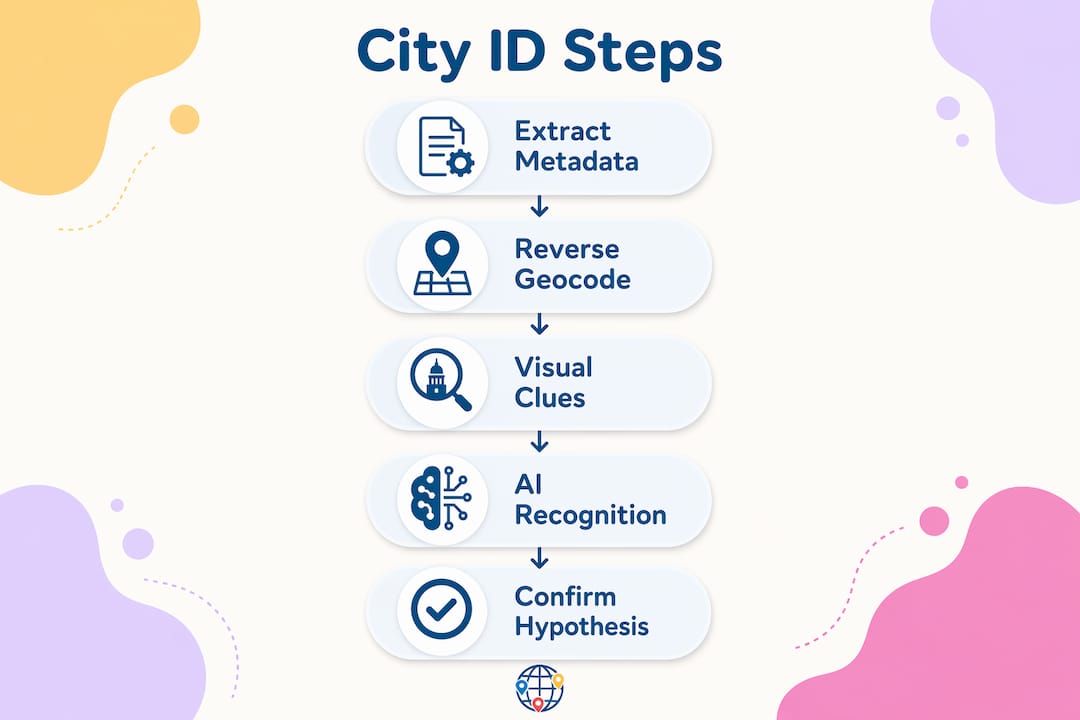
Follow this workflow in order. Each step either confirms the city or narrows the candidate pool before you move to the next.
-
Extract metadata. Open the image in ExifTool or check OS properties. Look for GPSLatitude and GPSLongitude fields. If present, paste them into Geoapify or Google Maps to get the city name immediately.
-
Analyze visible text. Read every sign, storefront label, and street marking in the frame. Identify the language and script. This step alone typically narrows the location to a country or sub-region.
-
Evaluate architecture and infrastructure. Note building materials, facade styles, window types, and transit infrastructure. Cross-reference against known regional patterns. A yellow taxi and a specific fire hydrant design confirm New York City faster than any landmark.
-
Run an AI image retrieval tool. Upload the photo to a tool using MegaLoc-style retrieval or a hybrid workflow. Review the top candidate matches rather than accepting the first result.
-
Verify with street-level imagery. Open Google Street View or Apple Maps Look Around at the candidate location. Compare specific structural details: the curve of a road, the color of a building's trim, the shape of a crosswalk.
-
Document your hypothesis chain. Write down each clue and what it confirms. A confirmed city identification should rest on at least three independent clues pointing to the same location.
Pro Tip: When using AI tools, always request multiple candidate results rather than a single answer. Verification of multiple candidate locations through dense validation is the step that separates reliable identification from educated guessing.
Common mistakes when identifying cities from photos
The most frequent error is treating a single plausible clue as a confirmed answer. A photo showing a red double-decker bus could be London, but it could also be Hong Kong, Dublin, or a tourist attraction in Las Vegas. One clue opens a hypothesis. Multiple independent clues close it.
Relying on fleeting or transient visual elements is the second major pitfall. Weather, clothing styles, and vehicle models all change rapidly and vary widely within a single city. Accuracy gains come from focusing on slow-changing structural cues: building footprint and spacing, curb paint, road markings, and transit infrastructure. These elements are city-specific and stable across years.
Other mistakes to avoid:
- Ignoring the absence of metadata. Not checking for EXIF data before starting visual analysis wastes time. Always run the metadata check first.
- Accepting AI output without verification. AI tools can produce confident wrong answers, especially with heavily cropped or low-contrast images. Always cross-check against street-level imagery.
- Overlooking partial clues. A partially visible street sign, a corner of a transit map, or the edge of a license plate can be enough to confirm a region when combined with other evidence.
- Stopping at country level. City identification requires drilling down. Confirming "Japan" is not the same as confirming "Osaka." Use infrastructure details to reach city-level precision.
Low-quality or heavily cropped images require a shift in strategy. Building-level matching reduces fragility in geolocation pipelines when photos are cropped or taken from unusual angles, making tools like Locus more reliable than whole-scene matching in those cases.
Key takeaways
City identification from photos works best when metadata extraction, visual analysis, and AI-assisted image retrieval are applied in sequence rather than in isolation.
| Point | Details |
|---|---|
| Start with metadata | ExifTool and Geoapify convert GPS coordinates to city names faster than any visual method. |
| Prioritize slow-changing clues | Building materials, road markings, and transit infrastructure are more reliable than weather or vehicles. |
| Use AI as a fallback | Hybrid tools like MegaLoc and Locus perform building-level matching when metadata is absent. |
| Verify multiple candidates | AI retrieval systems return top-N matches; always cross-check the top results against street-level imagery. |
| Build a hypothesis chain | Confirm at least three independent clues before finalizing a city identification to avoid false positives. |
Why layering methods is the only approach that actually works
I've spent years watching people try to identify cities from a single dramatic clue, a famous skyline, a distinctive bridge, and then get it wrong because they stopped looking. The Eiffel Tower is obvious. But most photos don't contain the Eiffel Tower. They contain a corner of a street, a bus stop, and part of a building facade.
What I've found actually works is treating city identification like a legal case, not a trivia question. You need corroborating evidence. The language on a sign tells you the country. The curb paint color tells you the traffic system. The transit shelter design tells you the city. None of those three clues alone closes the case. Together, they do.
The AI tools are genuinely useful, but only when you understand what they're doing. MegaLoc and Locus aren't magic. They're retrieval systems that compare your image against geo-tagged databases. When the database has good coverage of your target city, they perform well. When it doesn't, they produce confident-sounding wrong answers. That's why the verification step against Google Street View or Apple Maps is non-negotiable, not optional.
The skill that separates good city identifiers from great ones is knowing which clues to trust. Vehicles, clothing, and weather are noise. Building spacing, road markings, and utility infrastructure are signal. Train yourself to look past the obvious and read the structural fingerprint of a place. That skill transfers directly to map-based quiz games, travel photography, and any context where location matters.
— Pran Gran
Put your city identification skills to the test
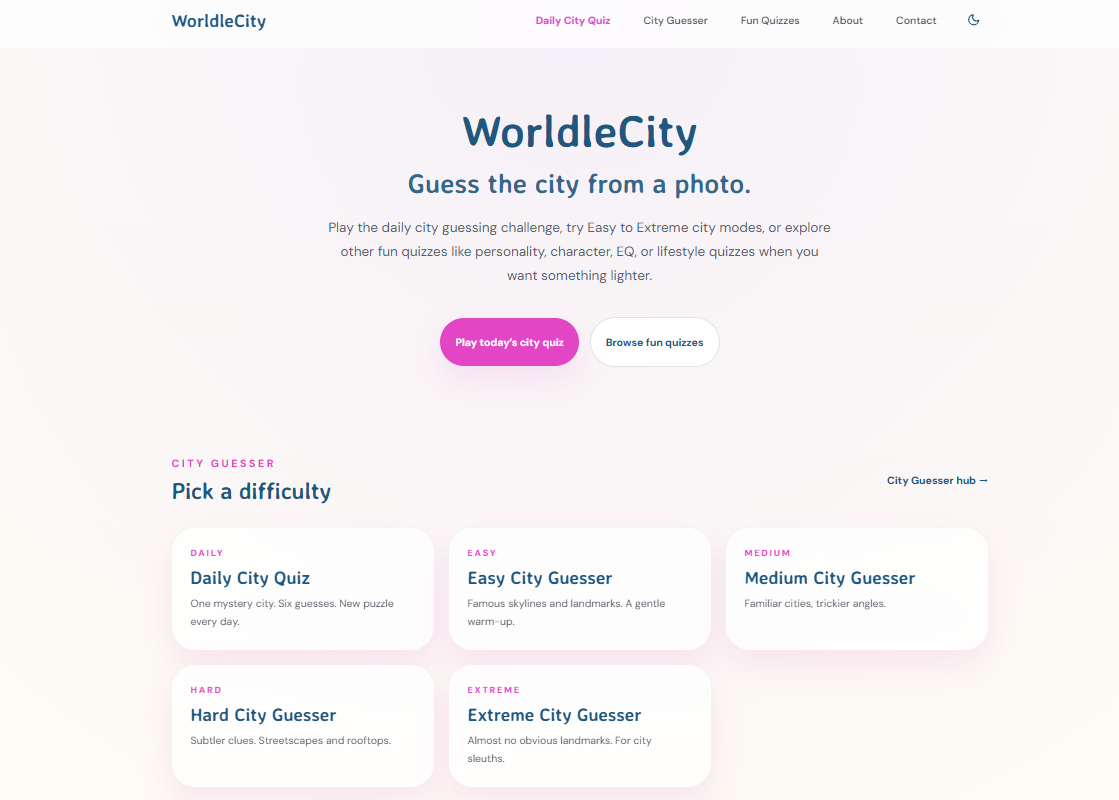
Reading about city identification techniques is one thing. Applying them under a time constraint is where the real learning happens. Worldlecity turns that practice into a daily habit with a photo-based city guessing game that gives you six attempts to name a mystery city, with proximity and direction feedback after each guess. The platform also offers city guesser quizzes across four difficulty modes, so you can work through easy wins before tackling harder urban scenes. No account registration required. If you want to sharpen your ability to recognize cities from images and track your progress over time, Worldlecity is the most direct way to build that skill while actually enjoying the process.
FAQ
How do I find a city name from a photo?
Check the image's EXIF metadata for GPS coordinates first using ExifTool or your OS file properties. If coordinates are present, reverse-geocode them with a service like Geoapify to get the city name instantly.
What visual clues help identify a city from a photo?
Street sign language, building materials, road marking colors, transit shelter designs, and vegetation are the most reliable clues. Slow-changing structural features outperform transient details like weather or parked vehicles.
Can AI identify a city from a photo?
Yes. Tools using models like MegaLoc and Locus match photos against geo-tagged street-view databases to return city-level location candidates. Accuracy improves significantly when AI output is verified against street-level imagery.
What should I do when a photo has no metadata?
Apply visual analysis: read any visible text for language clues, evaluate architecture and infrastructure, then use an AI image retrieval tool. Cross-verify the top candidate results using Google Street View before confirming the city.
How reliable is city identification from photos?
Reliability depends on the method and the image quality. EXIF-based identification is highly accurate when GPS data is present. Visual and AI-based methods achieve strong results when multiple independent clues are layered and verified rather than relying on a single match.